Experiment · EN
Otherlight — Exoplanet Simulation
Exoplanet transits, exomoons and binary stars as interactive labs in the browser: change a planet's size or orbit and watch the light curve respond, follow a Guided Lab from hypothesis to interpretation, or run a validated radial-velocity model on your own machine.
Overview
Otherlight is a free, open-source simulation app for exoplanet transits, exomoons, detached binary stars, photometry and timing. It runs in a browser tab, entirely on your own device: no account, no upload, no installation. It complements the hands-on experiments on this site: where the Transit Method experiment builds a light curve with a lamp and a ball, Otherlight lets you vary every parameter of the system and see the light curve, the geometry and the formula change together.
| Target group | Bachelor's and master's level (STEM), educators |
| Method | Interactive simulation, Guided Labs |
| Platform | Web browser (desktop recommended); source code for a SwiftUI app for Apple platforms |
| Language | English |
| Licence | MIT (open source) |
| Status | Pre-release (alpha) |
Open the app · Screenshot tour · Source code on GitHub
What you can do
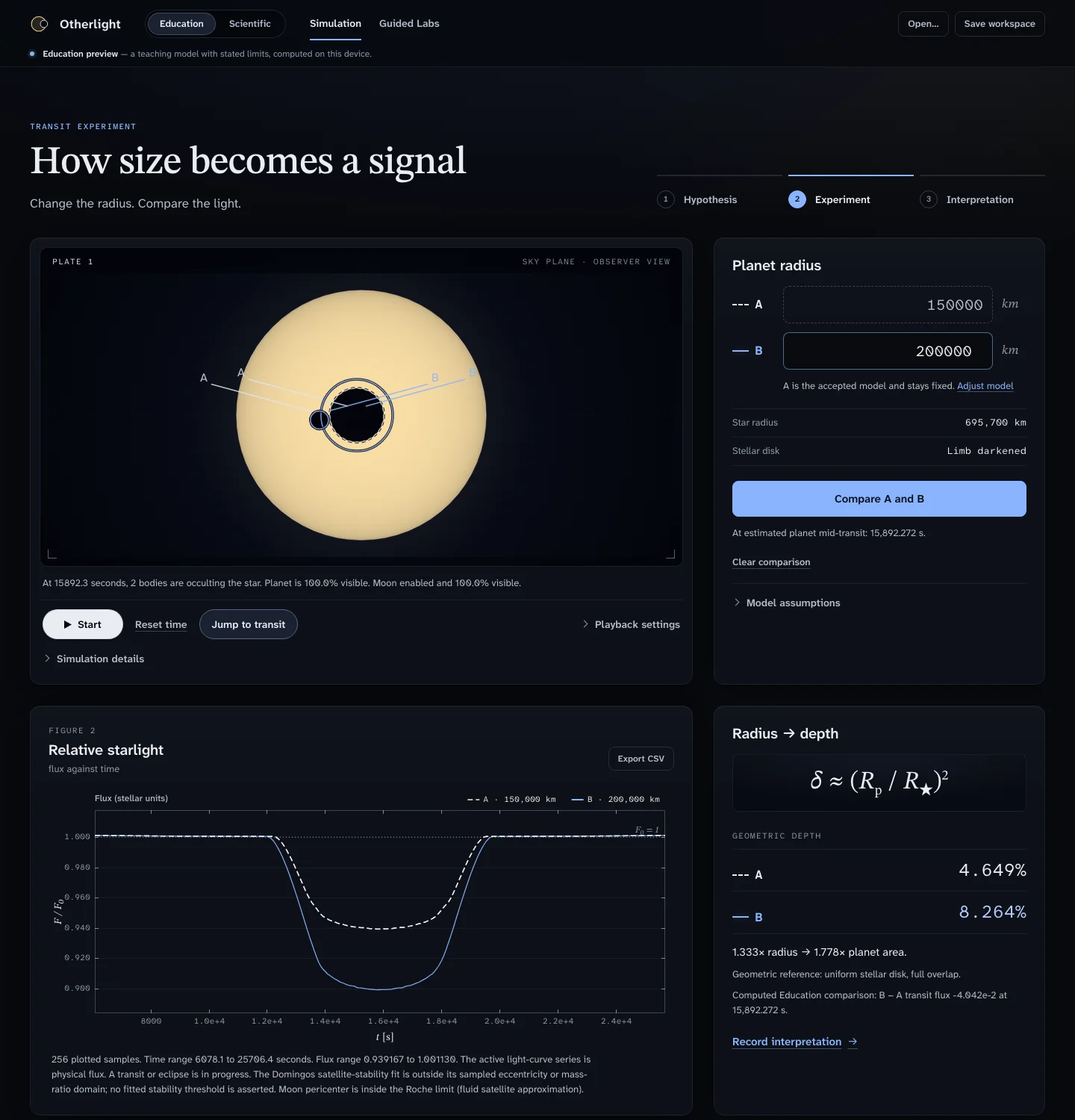
Simulation: connect geometry to a light curve. Change the planet radius and watch the transit depth follow. The observer's view of the star, the relative-starlight curve and the depth formula δ ≈ (Rp / R★)² stay in step, so the arithmetic is visible next to the picture. Two models, A and B, can be compared side by side, and the light curve can be exported as CSV.
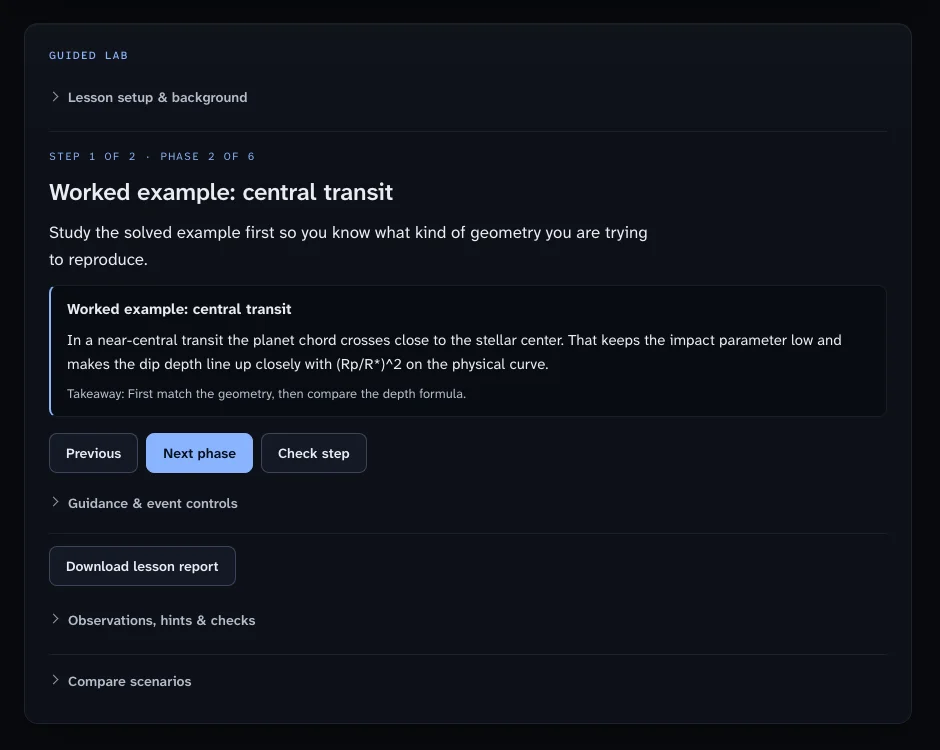
Guided Labs: from prediction to evidence. Lessons advance one phase at a time — hypothesis, experiment, interpretation. The prompt, the evidence and the learner's written answers stay together, a session can be saved as a workspace file and resumed later, and a lesson report can be downloaded.
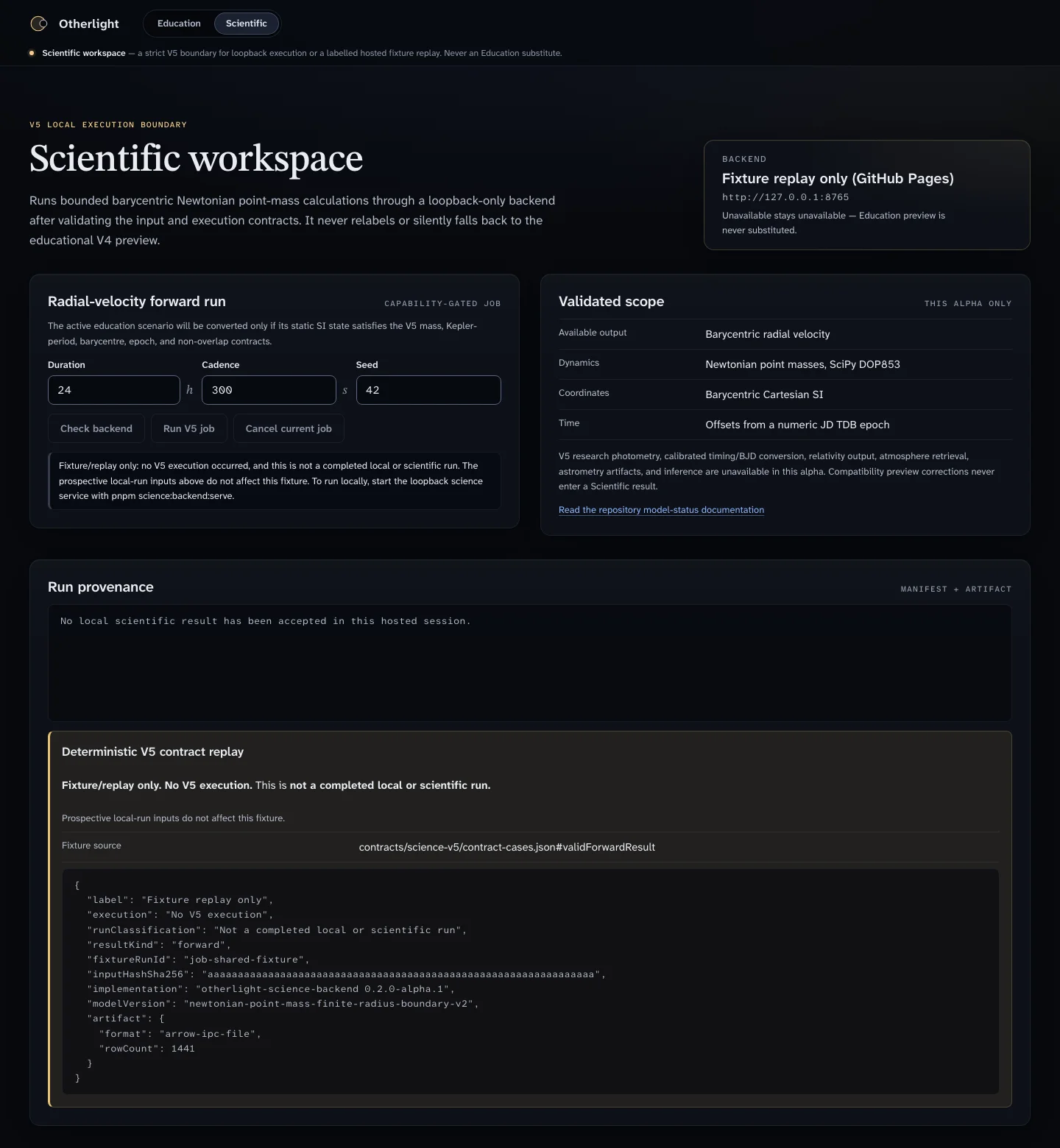
Scientific workspace: keep the boundary explicit. A separate, strictly validated Newtonian radial-velocity model runs through an optional service on your own computer. The interface always labels what you see: an Education preview is a teaching model with stated limits, a scientific result comes from the validated model. The hosted app shows the scientific workspace as a clearly labelled replay of a stored example result.
In the classroom
- Start with the hands-on Transit Method experiment and record a light curve with phyphox.
- Open Otherlight and rebuild the situation: set the star and planet radius and compare the simulated transit depth with your measurement.
- Use a Guided Lab to formulate a hypothesis (e.g. "What happens to the transit chord if the inclination increases?"), test it in the simulation and write down the interpretation.
- Extend the model: add a moon, a second star or a different orbit and discuss which signals real telescopes such as Kepler, TESS or JWST would see.
Good to know
- The Education simulation is a teaching model with stated limits, not a research tool; the app says so on every screen.
- Everything runs locally in the browser. Workspaces are saved as files that you control.
- To run the app offline or locally, follow the instructions in the repository; it needs Node.js and pnpm.